Personal Prompt Library using Raycast notes
Disclaimer: I am not an expert in prompt engineering, but I think this is a convenient format for solving my problem, which I decided to share.
I spent a long time looking for a tool to store and work with a repository of prompts. It's important for me to be able to quickly find and edit a prompt, and then immediately insert it for my specific task (versioning is not critical in this case), and I finally found it — Prompt in Raycast notes :)
What is the task
I use prompts directly in the UI of the LLMs themselves (Opus, GPT, Gemini). Yesterday, I reread a bunch of reviews on Reddit — almost all of the solutions are tailored for agent pipelines or working through an API, which doesn't suit me.
There are many prompt libraries from companies like Anthropic and private developers. They are great, but for me it is important to focus on the following: a) specifically for me / for my task; b) quickly find and copy to chat
I really liked a review where the author discusses the pros and cons of five types of prompts and shows a specific solution using Jinja as an example. But there, the prompts are connected via API, and I need a UI flow. In the end, I settled on Raycast Notes. The process is as follows:
Step 1. Creating a prompt. First, I create a prompt_creator folder where I store best practices for creating prompts (I use the Claude generator). Then, I make several iterations of prompt optimization in the folder and format it into an .md file
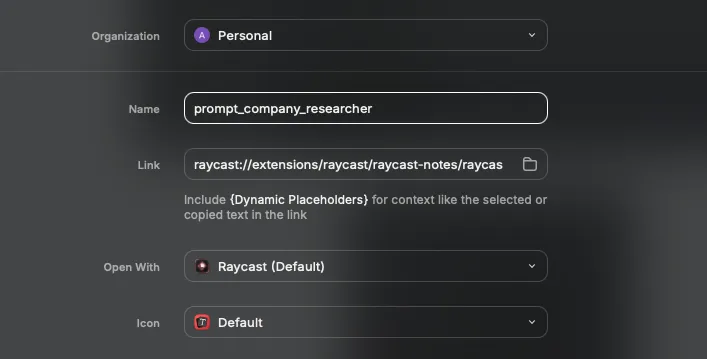
Step 2. Saving to the repository. I copy the final version to a Raycast note (for example, prompt_company_research). And finally save a link to this note in Raycast for quick access
Step 3. Optional — if you do decide to use the API, you can copy the prompt to Claude or OpenAI Console and version control it there
Now, step by step
Step 1. Create a personal prompt optimiser project
Essentially, there are three ways to create a compelling prompt that I am aware of:
- Create your own folder and write instructions and examples
- Ready-made plugins such as Prompt Generator in GPT
- Various optimizers from Anthropic and OpenAI on the console platform
I opted for the first one. As you have more control over the instructions, plus you can see the history of prompt iterations (it is saved in the folder as separate chats)
A separate folder is created in ChatGPT, in which I set up: 1) Instructions 2) Attached file Prompting guide for ChatGPT 5.2
To create an instruction, I did several iterations of prompt optimization in OpenAI Playground
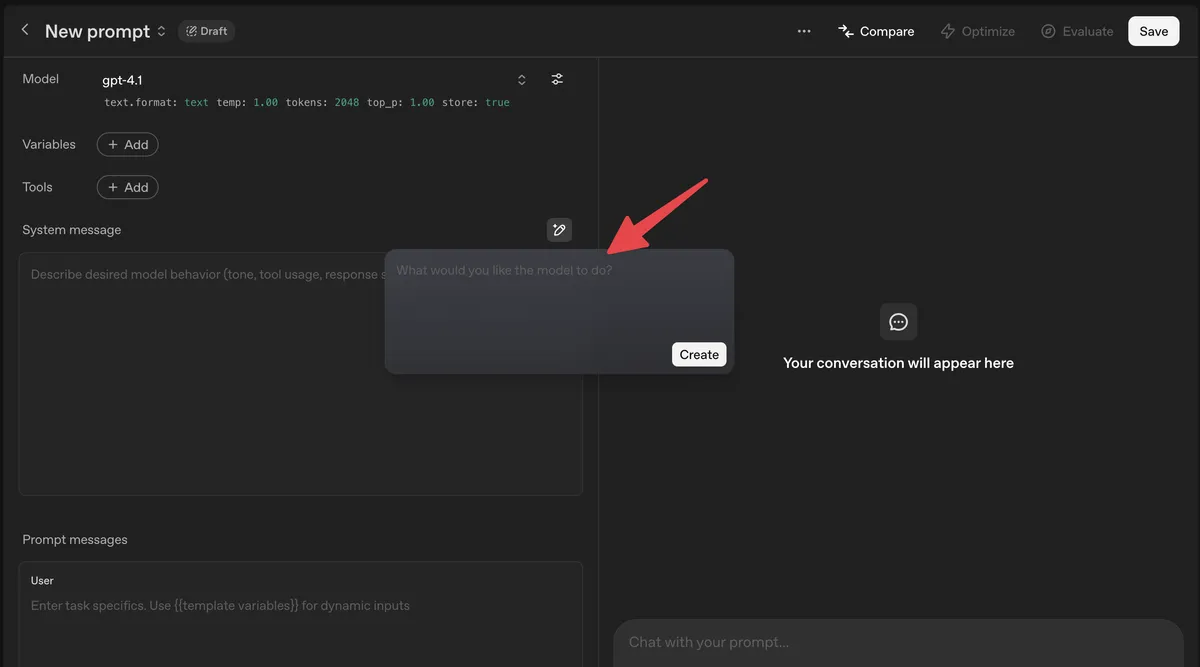
After that, I got this description
You are an expert prompt engineer trained on OpenAI and Anthropic best practices.

Use attached prompting guide as a reference

Your task is to CREATE a production-ready prompt for ChatGPT based on the task I provide.

Rules:
- The output must be a single, ready-to-use prompt.
- The prompt must be structured and explicit.
- Include role, goal, constraints, reasoning steps, and output format.
- Optimize for clarity, completeness, and business usefulness.
- Do NOT execute the task. Only generate the prompt.

Use this structure in the final prompt:
1. Role
2. Objective
3. Context
4. Constraints
5. Process
6. Output format
7. Quality checks

Here is the task:
[PASTE TASK HERE]
Then I created a project and attached a prompting guide md file, from the OpenAI website. Anthropic and Google also have good guides
Then, you need create a pre-made prompt using the project. So far, I only have three use cases for pre-made prompts:
- Company researcher: researching a company as a future employer
- Weekly report generator: create a report on what I have done, a plan, and blockers for management
- Summary note taker: summary, action plan, and takeaways after meetings
To optimize the prompt, as I wrote above, you can also run several optimization cycles in the console. I use my own folder.
Step 2. Saving the prompt in Raycast
I thought about Notion/Obsidian, which is also an option, but I don't know how well Spotlight on Mac can find them in notes. Raycast indexing works great. The instructions are very simple: create a note, I use snake_case notation, it's easier to search
prompt_company_researcher
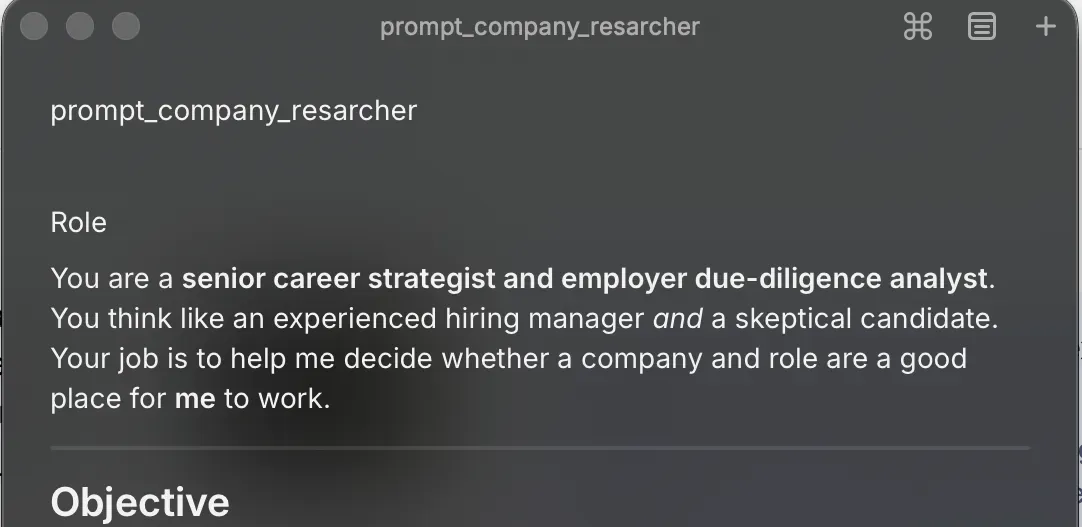
It is immediately saved as a link, and you get quick access
Q/A
Why not use Console?
You may ask why not use templates from Claude Console. From what I've read, the repository and prompt optimization system is tailored for API use (e.g., Claude Console and claude.ai are two different products that are not synchronized and have different pricing; in the API you pay for tokens, claude.ai is a subscription model). Therefore, for UI use, I need a handy and fast system.
Why not a folder/project with custom instructions?
I already have about seven such folders. And if I create a folder for each task, they will multiply. Therefore, for me, a folder is a domain/area of my activity where I want to communicate with an expert on this topic. Prompts are pre-prepared instructions for a task in this domain.
For example, the folder/prompts:
- Career
- Company researcher
- Personal Coach on topic XX
- Health
- Food strategy
- …